Shared Nothing vs. Shared Disk Architecture: Choosing the Best HA Cluster
Shared nothing architecture vs shared disk architecture for high availability clusters
Overview
This article explores the pros and cons of shared nothing architecture vs shared disk architecture for high availability clusters. We are looking at hardware constraints, impact on application data organization, recovery time, simplicity of implementation.
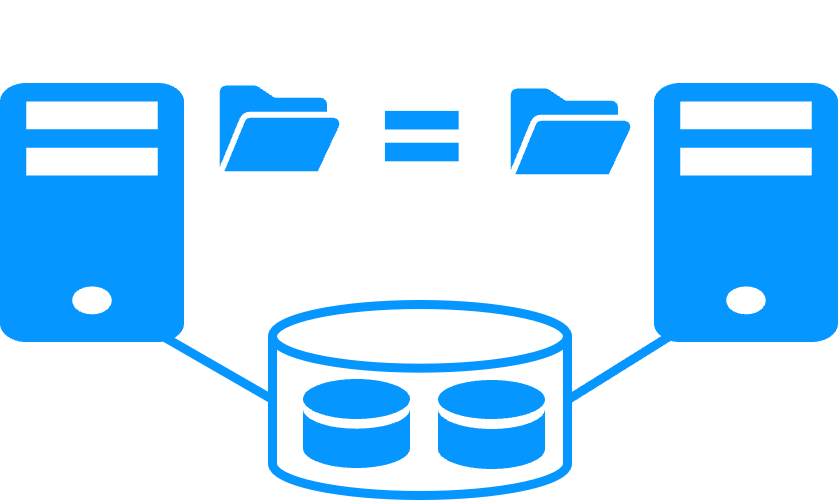
The following comparative tables explain in detail the difference between shared disk architecture and SafeKit, a software clustering product implementing a shared nothing architecture.
What is a shared disk architecture?
A shared disk architecture (like with Microsoft failover cluster) is based on 2 servers sharing a disk with an automatic application failover in case of hardware of software failures.
This architecture has hardware constraints: the specific external shared storage, the specific cards to install inside the servers, and the specific switches between the servers and the shared storage.
A shared disk architecture has a strong impact on the organization of application data. All application data must be localized in the shared disk for a restart after a failover.
Moreover, on failover, the file system recovery procedure must be executed on the shared disk. This increases the recovery time (RTO).
Finally, the solution is not easy to configure because skills are required to configure the specific hardware. Additionally, application skills are required to configure application data in the shared disk.
What is a shared nothing architecture ?
A shared nothing architecture (like with SafeKit) is based on 2 servers replicating data in real-time with an automatic application failover in case of hardware of software failures.
There are two types of data replication: byte level file replication vs block level disk replication. We consider here byte level file replication because it has many advantages against block level disk replication.
The shared nothing architecture has no hardware constraints: the servers can be physical or virtual with any type of disk organization. Real-time file replication (synchronous for having 0 data loss) is made through the standard network between servers.
This architecture has no impact on application data organization. For instance, if an application has its data in the system disk, real-time file replication is working.
Recovery time (RTO) in the event of a failover is reduced to the application restart time on the secondary server’s replicated files.
Finally, the solution is very simple to configure as only the paths of directories to replicate are configured.
Shared Nothing Architecture vs Shared Disk Architecture: Pros and Cons
Choosing the right high availability architecture is critical for balancing cost, complexity, and reliability. The two main approaches — shared nothing and shared disk — differ fundamentally in how they handle data redundancy and failover. A shared nothing architecture like SafeKit replicates data between independent servers with their own local storage, while a shared disk architecture relies on a centralized storage bay (SAN) accessed by multiple servers. The following table compares these two approaches across key criteria.
| Criteria | Shared Nothing Architecture | Shared Disk Architecture |
|---|---|---|
| Product | SafeKit on Windows and Linux | Clustering toolkit for shared disk |
| Extra hardware | No — uses internal disks of servers | Yes — extra cost with a shared bay of disks (SAN) |
| Application data organization | Zero impact on application data organization. Just define directories to replicate in real-time. Even directories inside the system disk can be replicated. | Requires special configuration of the application to put its data on a shared disk. Data on the system disk cannot be recovered. |
| Complexity of deployment | No — install a software on 2 servers | Yes — requires specific IT skills to configure OS and shared disk |
| Failover | Just restart the application on the second server. | Switch the shared disk. Remount the file system. Run the recovery procedure on the file system. Then restart the application. |
| Disaster recovery | Just place the 2 servers in 2 remote sites connected by an extended LAN. | Extra cost with a second bay of disks. Requires specific IT skills to configure mirroring of bays across a SAN. |
| Quorum and split brain | Application runs on a single server after network isolation (split brain). Data coherency is guaranteed. No need for a third machine, quorum disk, or special heartbeat line. More on heartbeat, failover and quorum | Requires a special quorum disk or a third quorum server to avoid data corruption on split brain. |
| Best suited for | Software editors wanting to add a simple HA option to their application | Enterprises with IT skills in clustering and large database applications |
In summary , the shared nothing architecture, as implemented by SafeKit, wins on simplicity , cost , and deployment speed. It requires no extra hardware, no specialized IT skills, and no changes to the application’s data organization. Failover is straightforward, disaster recovery is built-in, and split brain is handled without additional infrastructure.
The shared disk architecture remains relevant for large enterprises with existing SAN infrastructure and dedicated IT teams managing very large databases. However, for most application high availability needs — especially for software editors, OT/edge environments, and distributed sites — shared nothing with SafeKit is the simpler, more cost-effective choice.
Video comparing a shared disk architecture and a shared nothing architecture when considering disaster recovery
Video content
This video first illustrates the work to be done with a shared disk architecture when the two servers of a high availability cluster must be placed on two remote sites.
Next, the video demonstrates the same use case with the SafeKt shared nothing architecture.
SafeKit Video: Disaster recovery with a shared disk and a shared nothing cluster (2:25)
🔍 SafeKit High Availability Navigation Hub
Explore SafeKit: Features, technical videos, documentation, and free trial
| Resource Type | Description | Direct Link |
|---|---|---|
| Key Features | Why Choose SafeKit for Simple and Cost-Effective High Availability? | See Why Choose SafeKit for High Availability |
| Use Cases | Explore How SafeKit Ensures the High Availability of Critical Infrastructure | See All Use Cases (OEM Software, Edge Servers, SCADA, and more) |
| Deployment Model | All-in-One SANless HA: Shared-Nothing Software Clustering | See SafeKit All-in-One SANless HA |
| HA Strategies | SafeKit: Infrastructure (VM) vs. Application-Level High Availability | See SafeKit HA & Redundancy: VM vs. Application Level |
| Technical Specifications | Technical Limitations for SafeKit Clustering | See SafeKit High Availability Limitations |
| Proof of Concept | SafeKit: High Availability Configuration & Failover Demos | See SafeKit Failover Tutorials |
| Architecture | How the SafeKit Mirror Cluster works (Real-Time Replication & Failover) | See SafeKit Mirror Cluster: Real-Time Replication & Failover |
| Architecture | How the SafeKit Farm Cluster works (Network Load Balancing & Failover) | See SafeKit Farm Cluster: Network Load Balancing & Failover |
| Competitive Advantages | Comparison: SafeKit vs. Traditional High Availability (HA) Clusters | See SafeKit vs. Traditional HA Cluster Comparison |
| Technical Resources | SafeKit High Availability: Documentation, Downloads & Trial | See SafeKit HA Free Trial & Technical Documentation |
| Pre-configured Solutions | SafeKit Application Module Library: Ready-to-Use HA Solutions | See SafeKit High Availability Application Modules |