SAN vs. NAS Shared Storage for Failover Clustering: A Detailed Comparison
What is the simplest solution between a SAN vs a NAS shared storage for a failover cluster?
SAN shared storage or NAS iSCSI shared storage for a failover cluster
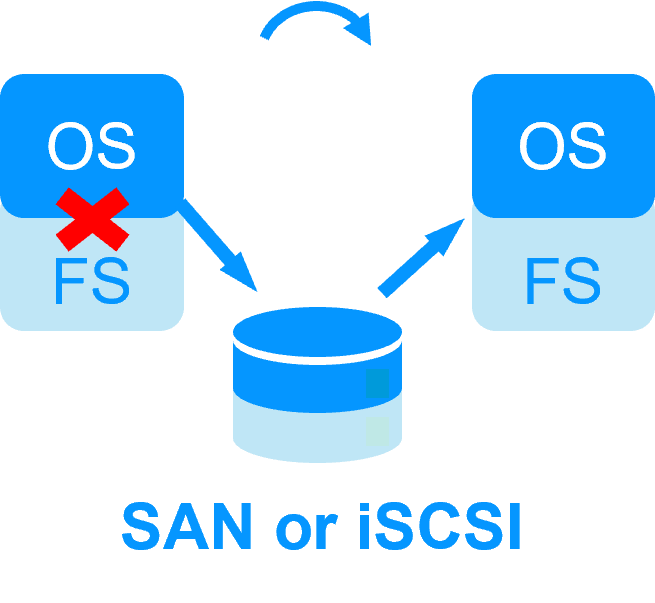
There are several elements that make this architecture complex to implement:
- on failover, switching the shared storage requires low level instructions which are storage manufacturer dependent,
- recovery procedure on the file system (FS) must be passed before restarting the application,
- if both file systems on both nodes access the same raw disk at the same time, the full file system will be corrupted,
- to avoid a double access, a quorum disk must be configured.
NAS SMB shared storage or NAS NFS shared storage for a failover cluster
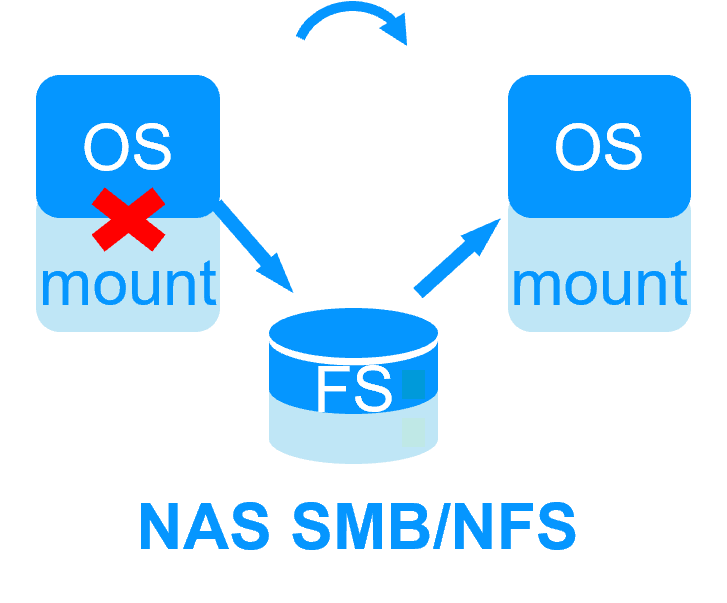
There are several elements that make this architecture simple to implement:
- on failover, switching the shared storage means only remounting the external file system,
- no recovery procedure on the file system must be passed before restarting the application,
- if both nodes access the same shared file system at the same time, the full file system will be not be corrupted,
- however, there is still the possibility of a double execution of the same application corrupting its data in the shared storage when nodes are isolated.
Real-time replication and failover with Eviden SafeKit
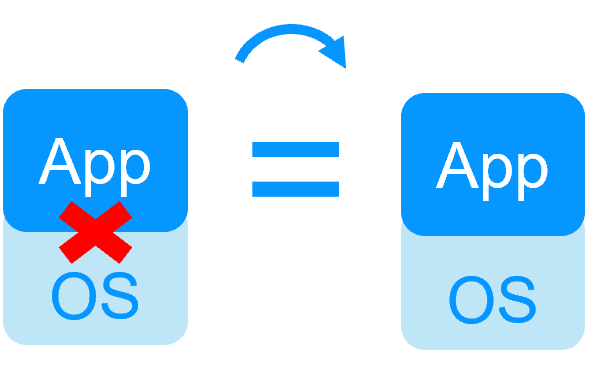
There are no such issues with SafeKit because its replication and failover solution does not require a shared storage.
However, if SafeKit must manage a shared storage:
- use a NAS SMB shared storage or a NAS NFS shared storage,
- put in the restart scripts the mount/umount of the external file system,
- configure the SafeKit split brain checker to avoid a double execution of the same application accessing the shared storage when nodes are isolated.
🔍 SafeKit High Availability Navigation Hub
Explore SafeKit: Features, technical videos, documentation, and free trial
| Resource Type | Description | Direct Link |
|---|---|---|
| Key Features | Why Choose SafeKit for Simple and Cost-Effective High Availability? | See Why Choose SafeKit for High Availability |
| Use Cases | Explore How SafeKit Ensures the High Availability of Critical Infrastructure | See All Use Cases (OEM Software, Edge Servers, SCADA, and more) |
| Deployment Model | All-in-One SANless HA: Shared-Nothing Software Clustering | See SafeKit All-in-One SANless HA |
| HA Strategies | SafeKit: Infrastructure (VM) vs. Application-Level High Availability | See SafeKit HA & Redundancy: VM vs. Application Level |
| Technical Specifications | Technical Limitations for SafeKit Clustering | See SafeKit High Availability Limitations |
| Proof of Concept | SafeKit: High Availability Configuration & Failover Demos | See SafeKit Failover Tutorials |
| Architecture | How the SafeKit Mirror Cluster works (Real-Time Replication & Failover) | See SafeKit Mirror Cluster: Real-Time Replication & Failover |
| Architecture | How the SafeKit Farm Cluster works (Network Load Balancing & Failover) | See SafeKit Farm Cluster: Network Load Balancing & Failover |
| Competitive Advantages | Comparison: SafeKit vs. Traditional High Availability (HA) Clusters | See SafeKit vs. Traditional HA Cluster Comparison |
| Technical Resources | SafeKit High Availability: Documentation, Downloads & Trial | See SafeKit HA Free Trial & Technical Documentation |
| Pre-configured Solutions | SafeKit Application Module Library: Ready-to-Use HA Solutions | See SafeKit High Availability Application Modules |