High Availability Architectures & Software Clustering Best Practices
What are the high availability architectures and the best practices?
Overview
This article explores the different high availability architectures and the best practices by given the pros and cons of each architecture.
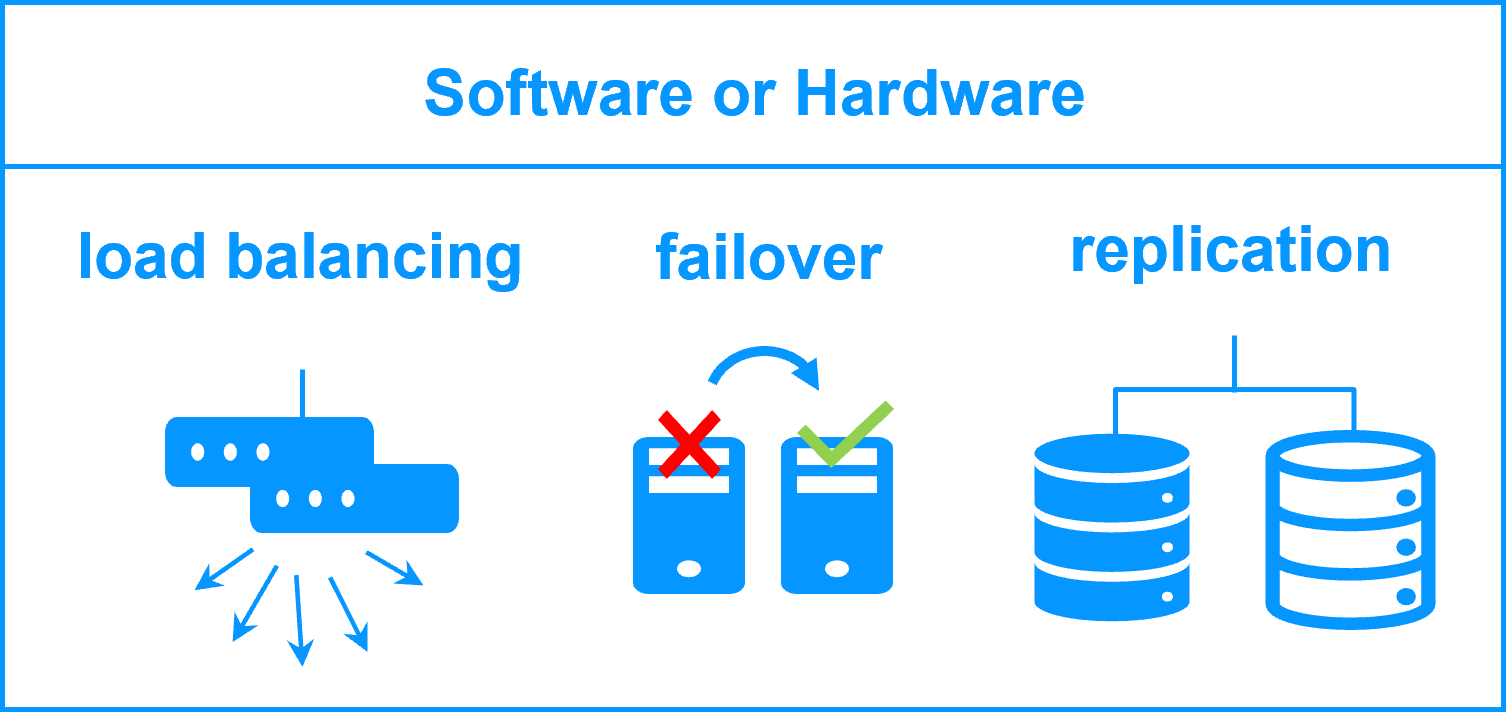
The following comparative tables explain in detail the SafeKit high availability architecture and its best practices (SafeKit is a software high availability product).
What are the high availability architectures?
There are two types of high availability architectures: those for backend applications such as databases and those for frontend applications such as web services.
High availability architectures for backend are based on 2 servers sharing or replicating data with an automatic application failover in the event of hardware of software failures.
High availability architectures for frontend are based on a farm of servers (2 servers or more). The load balancing is made by hardware or software and distributes the TCP sessions to the available servers in the farm.
Moreover, you have to choose between high availability at the application level or at the virtual machine level.
What are the best practices?
This article explores the best practices in high availability architectures by comparing:
- software vs hardware clustering,
- shared nothing vs shared disk architecture,
- application vs virtual machine high availability,
- high availability vs fault tolerance,
- synchronous vs asynchronous replication,
- file vs disk replication,
- data replication techniques,
- RPO and RTO with examples,
- split brain ans quorum,
- virtual IP addresses.
Comparative tables on high availability architectures and best practices
Choosing the right High Availability (HA) solution is critical for ensuring business continuity and minimizing downtime. This comparison provides a direct, technical review of two major architectural approaches: SafeKit’s software-defined, shared-nothing clustering versus Traditional HA methods that typically rely on hardware, shared disks (like a SAN), and complex configurations. These distinctions cover deployment simplicity, data replication methods, recovery speed (RTO/RPO), and operational complexity. The table below details the core differences across key high availability topics.
High Availability Comparison: SafeKit Software Clustering vs. Traditional HA / Hardware Clustering
| Topic | SafeKit (Software Clustering / Primary Approach) | Traditional HA / Hardware Clustering |
|---|---|---|
| Software Clustering vs. Hardware Clustering | • A simple software cluster with the SafeKit package just installed on two servers | • Complex hardware clustering with external storage or network load balancers |
| Shared Nothing vs. a Shared Disk Cluster | • SafeKit is a shared-nothing cluster: easy to deploy even in remote sites | • A shared disk cluster is complex to deploy |
| Application High Availability vs. Full Virtual Machine High Availability | • Application HA supports hardware failure and software failure with application checkers. • Quick recovery time by restarting only the application (RTO around 1 mn or less). • Application HA requires to define restart scripts per application and folders to replicate (SafeKit application modules). | • Full virtual machines HA supports hardware failure and some software failures like a frozen VM. • VM reboot on failure and recovery time depending on the OS reboot. • No restart scripts to define with full virtual machines HA (SafeKithyperv.safeorkvm.safemodules). Hypervisors are active/active with just multiple virtual machines. |
| High Availability vs. Fault Tolerance | • No dedicated server with SafeKit. Eachserver can be the failover server of the other one. • Software failure with restart in another OS environment. • Smooth upgrade of application and OS possible server by server (version N and N+1 can coexist) | • Secondary server dedicated to the execution of the same application synchronized at the instruction level. • Software exception on both servers at the same time. • Smooth upgrade not possible • Specific fault-tolerant hardware or hypervisors |
| Synchronous Replication vs. Asynchronous Replication | • SafeKit implements real-time synchronous replication with no data loss in case of failure • Prerequisite for high availability | • With asynchronous replication, there is data loss on failure • Not suited for high availability but for backup solutions |
| Byte-level File Replication vs. Block-level Disk Replication | • SafeKit implements real-time byte-level file replication and is simply configured with application directories to replicate even in the system disk | • Block-level disk replication is complex to configure and requires to put application data in a special disk |
| Heartbeat, Failover, and Quorum to Avoid 2 Master Nodes | • To avoid 2 masters, SafeKit proposes a simple split brain checker configured on a router | • To avoid 2 masters, other clusters require a complex configuration with a third machine, a special quorum disk, a special interconnect |
| Virtual IP Address: Primary/Secondary, Network Load Balancing, Failover | • No dedicated proxy servers and no special network configuration are required in a SafeKit cluster for virtual IP addresses | • Special network configuration is required in other clusters for virtual IP addresses. Note that SafeKit offers a health check adapted to load balancers |
In summary , the architectural choice between software clustering (like SafeKit) and hardware clustering (traditional shared-disk/SAN) significantly impacts deployment complexity, operational costs, and recovery effectiveness. The key takeaway from this comparison is the shift toward shared-nothing, application-level HA which prioritizes rapid application recovery (low RTO) and deployment flexibility (even across remote sites), often resulting in a more streamlined and resilient solution than highly complex, hardware-dependent cluster configurations. For maximum business continuity with simplified management, evaluating a software-based approach is essential.
🔍 SafeKit High Availability Navigation Hub
Explore SafeKit: Features, technical videos, documentation, and free trial
| Resource Type | Description | Direct Link |
|---|---|---|
| Key Features | Why Choose SafeKit for Simple and Cost-Effective High Availability? | See Why Choose SafeKit for High Availability |
| Use Cases | Explore How SafeKit Ensures the High Availability of Critical Infrastructure | See All Use Cases (OEM Software, Edge Servers, SCADA, and more) |
| Deployment Model | All-in-One SANless HA: Shared-Nothing Software Clustering | See SafeKit All-in-One SANless HA |
| HA Strategies | SafeKit: Infrastructure (VM) vs. Application-Level High Availability | See SafeKit HA & Redundancy: VM vs. Application Level |
| Technical Specifications | Technical Limitations for SafeKit Clustering | See SafeKit High Availability Limitations |
| Proof of Concept | SafeKit: High Availability Configuration & Failover Demos | See SafeKit Failover Tutorials |
| Architecture | How the SafeKit Mirror Cluster works (Real-Time Replication & Failover) | See SafeKit Mirror Cluster: Real-Time Replication & Failover |
| Architecture | How the SafeKit Farm Cluster works (Network Load Balancing & Failover) | See SafeKit Farm Cluster: Network Load Balancing & Failover |
| Competitive Advantages | Comparison: SafeKit vs. Traditional High Availability (HA) Clusters | See SafeKit vs. Traditional HA Cluster Comparison |
| Technical Resources | SafeKit High Availability: Documentation, Downloads & Trial | See SafeKit HA Free Trial & Technical Documentation |
| Pre-configured Solutions | SafeKit Application Module Library: Ready-to-Use HA Solutions | See SafeKit High Availability Application Modules |